Friday Fabric Facts #2: Fabric's New Mirroring Feature: Azure SQL β†’ Lakehouse in 10 Minutes

For the last 15 years, if you wanted to report on data from your Azure SQL database, you had to build an ETL pipeline.

You paid for Azure Data Factory, you wrote code to handle incremental refreshes, and you woke up at 3 AM when the pipeline failed.

Microsoft just killed that requirement.

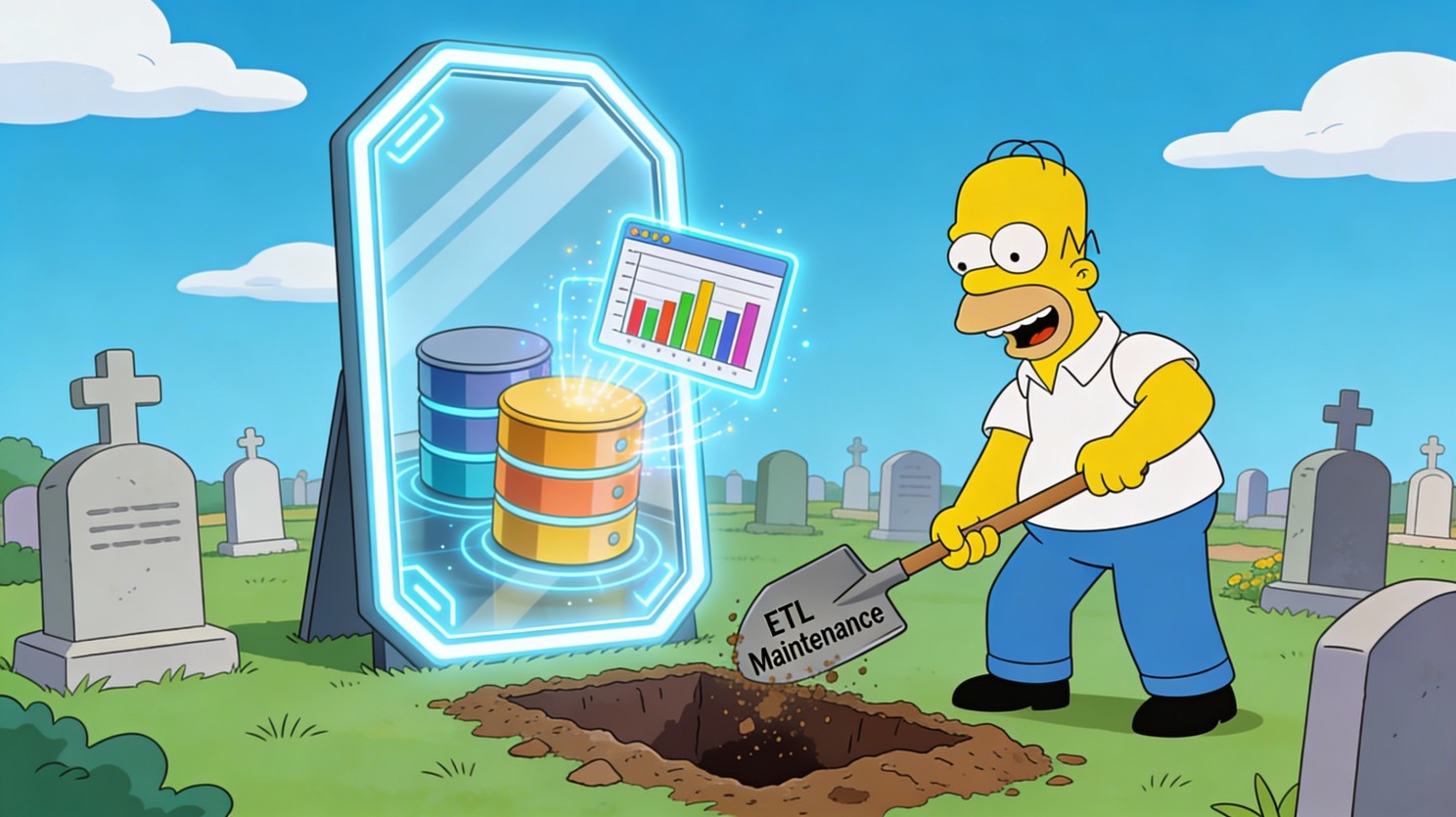
With Fabric Database Mirroring, you can replicate your Azure SQL data to OneLake in near-real-time, without writing a single line of ETL code.

If you're paying for Azure Data Factory or struggling with stale data in Power BI, this 4-minute read could save you $500/month and 10 hours of maintenance.
Newsletter Issue 2 Image 01

πŸ“¦ The Update: Zero-ETL Mirroring is Here

Microsoft has rolled outDatabase Mirroringfor Azure SQL Database, Snowflake, and Cosmos DB.

What it does:It continuously replicates data from your operational database (Azure SQL) to Fabric's OneLake in near-real-time.

  • No ETL code:It's a "click-to-configure" experience.
  • No performance hit:It uses Change Data Capture (CDC) technology to read transaction logs, so it doesn't slow down your source database.
  • Analytics-ready:Data lands in OneLake as Delta Parquet files, ready for Power BI Direct Lake mode (blazing fast reporting).

The technical shift:You no longer need to "move" data to report on it. You just "mirror" it.

πŸ’‘ Why This Matters (The Business Impact)

For a $50M–$100M SMB, the "ETL tax" is real.

  • Cost tax:You pay for ADF pipelines or Fivetran credits ($500–$2,000/month).
  • Time tax:Your BI developer spends 5 hours/week fixing broken pipelines instead of building dashboards.
  • Latency tax:Reports are always "as of last night" because you only run ETL once a day.

Real-world scenario for Isaac's SMB audience:A mid-sized logistics company ($80M revenue) has an Order Management System in Azure SQL.

  • Before Mirroring:Sales reps wait until 8 AM the next day to see yesterday's bookings.
  • With Mirroring:Sales dashboards update 5–15 minutes after an order is booked.
  • The Savings:They shut down 12 Azure Data Factory pipelines, saving $600/month and freeing up the Data Engineer to work on predictive analytics.

βœ… The Move (What You Can Do Monday)

You can set this up in 10 minutes. Here's how to pilot it withone tableto prove the value.

1. Enable System Assigned Managed Identity (SAMI) on your Azure SQL Server

  • Go to Azure Portal β†’ SQL Server β†’ Identity
  • Set "System assigned" toOn.
  • Why:Fabric uses this identity to securely read data without storing passwords.

2. Create a Mirrored Database in Fabric

  • Open Fabric β†’ "Data Warehouse" persona β†’ "Mirrored Azure SQL Database"
  • Click "New" β†’ Select your Azure SQL subscription.
  • Crucial Step:Select "Mirror all data" by default, OR uncheck it to select specific tables (recommended for the pilot).

3. Watch the Magic (Test It)

  • Insert a dummy row into your Azure SQL table

Newsletter Issue 2 Image 02

  • Wait 2–5 minutes.
  • Query the mirrored table in Fabric (SQL Analytics Endpoint)

Newsletter Issue 2 Image 03

  • If the row appears, you just built a real-time pipeline with zero code

Newsletter Issue 2 Image 04


⚠️ The Gotcha (Common Limitations to Watch For)

Mirroring is magic, but it has rules. If you ignore these, your mirror willπŸͺž

1. Unsupported Features (The "Blockers")Your tablecannotbe mirrored if it uses:

  • Temporal Tables(system-versioned history)
  • Always Encryptedcolumns
  • In-Memory OLTPtables
  • JSON or XML data types(older specialized types)

2. The Primary Key RuleEvery table you want to mirrormust have a Primary Key. No PK = No Mirror.

3. Network SecurityIf your Azure SQL Server has a firewall rule blocking "Azure Services," Fabric can't connect. You must "Allow Azure services and resources to access this server" or configure a private endpoint (more complex).

Real mistake I've seen:A CFO wanted real-time financial reporting. We set up mirroring, but the GeneralLedger table usedTemporal Tablesfor audit trails. The mirror failed silently for that table.

The Fix:We created a standard view that selected from the current temporal table and mirrored theview? No, you can't mirror views directly. We had to create a secondary standard table populated by a trigger (messy) or stick to standard ETL for that specific table.Know your source schema before you promise real-time data.

πŸ’¬ One Question for You

How much do you spend monthly on Azure Data Factory (or Fivetran) just to move data from Point A to Point B?

Drop a number in the comments (e.g., "$500", "$2k"). I'm betting Mirroring can cut that by 50%Stop paying to move data.

πŸ›‘ Stop paying to move data.

🟒 Start paying to use it.

Newsletter Issue 2 Image 05


Isaac Truong | Founder, Allston Yale

Enterprise-grade analytics for $50M–$100M SMBs

Power BI | Fabric | Azure | Data Strategy

πŸ“… Book a 20-min Fabric diagnostic β†’

πŸ“§ Subscribe to get Friday Fabric Facts in your inbox (plus early access to templates) πŸ’Ό

LinkedIn: Connect with me for daily Fabric tips


Friday Fabric Facts #2: Originally Posted on LinkedIn, February 6, 2026

 

Microsoft Fabric vs Azure SQL: Which Should My Business Choose for Our Data Strategy

Microsoft Fabric vs Azure SQL: Which Should My Business Choose for Our Data Strategy?

Deciding between Microsoft Fabric and Azure SQL requires a clear understanding of their distinct roles in a modern tech stack. While one is an integrated SaaS solution for end-to-end analytics, the other is a powerful PaaS database designed for transactional workloads and application backends.

Allston Yale Serves Businesses in Texas and across the USA

  • Defining the Primary Use Case

    Azure SQL remains a premier choice for relational data that requires high transactional integrity and granular control. It is designed for operational excellence in applications where every row update matters. This provides a stable foundation for software that needs a reliable and highly secure relational engine.

  • Operational vs Analytical Needs

    Choosing between these platforms often depends on whether the goal is insights or app storage. Azure SQL excels at supporting the day-to-day operations of a business, such as processing orders or managing user profiles. Fabric is built to take that data and turn it into actionable intelligence through a unified experience.

  • Strategic Architecture Decisions

    A lean IT team must evaluate if they want to manage individual database instances or adopt a holistic platform approach. Fabric reduces management overhead by consolidating various tools into a single workspace. This allows teams to focus more on generating actual business value than on configuring infrastructure.

How the Platform Choice Impacts Your Bottom Line

Choosing the wrong foundation leads to siloed information and massive technical debt that kills profit margins. Understanding these platforms ensures that a company can scale without hitting a wall of complexity. This decision impacts how quickly leadership can trust reports and make strategic moves every single day.

  • Avoiding the Data House of Cards

    Without a cohesive strategy, data infrastructure can feel like a house of cards ready to collapse. Fragmented systems cause delayed decisions and wasted resources, especially for mid-sized firms. Selecting the right platform creates a resilient environment where information flows seamlessly across every department.

  • Reliability of Azure SQL

    Azure SQL is built for mission-critical applications that require consistent performance and high availability. It supports complex transactions and relational structures with mature security features. Many organizations rely on it for operational databases where data integrity and structured storage are paramount.

  • Flexibility of Microsoft Fabric

    Microsoft Fabric represents a shift toward a unified data lake approach that simplifies the entire analytics lifecycle. It integrates data engineering, science, and business intelligence into one cohesive experience. This reduces the need for moving data between disparate systems just to get simple answers.

  • The Power of Integration

    Fabric's architecture allows it to play nicely with the broader Microsoft ecosystem, including Teams and SharePoint. This accessibility ensures that data is available where people already work. By bypassing traditional ownership models, it gets teams closer to raw data in nearly real-time, which is game-changing.

Microsoft Fabric vs SAP Datasphere: Comparison of Features and Philosophy

.bi-table-wrapper { overflow-x: auto; max-width: 100%; } .bi-table { width: 100%; min-width: 700px; border-collapse: collapse; margin: auto; background-color: #fff; color: black; box-shadow: 0 0 10px rgba(0,0,0,0.1); } .bi-table caption { caption-side: top; font-size: 1.6rem; font-weight: bold; padding: 1rem; color: #00897F; text-align: center; } .bi-table th, .bi-table td { padding: 12px 20px; text-align: center; border-bottom: 1px solid #ddd; } .bi-table th { background-color: #00897F; color: white; } .bi-table tr:hover { background-color: #f1f1f1; } .bi-table tbody tr:nth-child(even) { background-color: #f9f9f9; } @media (max-width: 600px) { .bi-table { min-width: 100%; } .bi-table caption { font-size: 1.2rem; padding: 0.75rem; } .bi-table th, .bi-table td { padding: 8px 10px; font-size: 0.9rem; } }
Feature Microsoft Fabric Azure SQL
Primary Goal Unified Analytics (SaaS) Relational Database (PaaS)
Architecture Lake-centric (OneLake) Traditional Relational Engine
User Persona Data Engineers/Analysts App Developers/DBAs
Management Low Overhead (SaaS) Moderate Control (PaaS)
Data Format Open Delta Lake / Parquet Proprietary SQL Storage
Integration Deep M365 Integration Azure Ecosystem Integration

The table above illustrates that while Fabric focuses on a unified, low-overhead analytics experience using an open data lake, Azure SQL prioritizes control and traditional relational performance. Fabric is designed for those who want to move fast with insights, while Azure SQL is for those who need a robust, developer-centric database.

A Deep Dive into Costs and Operational Workflows

Understanding cost structures is vital for lean IT teams who must justify every dollar spent to the C-suite. Azure SQL typically utilizes a purchasing model based on DTUs or vCores. This allows for precise scaling of compute and storage resources to match the specific needs of a single application.

  • Granular Billing in Azure SQL

    Azure SQL pricing is often predictable and tied directly to the performance tier selected by the team. Organizations can choose between provisioned or serverless options to optimize their spending. This level of granularity is excellent for managing the costs of specific operational databases without waste.

  • Capacity-Based Pricing in Fabric

    Microsoft Fabric uses a capacity-based model where businesses purchase a set amount of compute power shared across all services. This "all-in-one" approach simplifies budgeting because it covers everything from data ingestion to reporting. It eliminates the need to juggle separate invoices for different data tools and vendors.

  • Scaling and Optimization

    Both platforms offer ways to pause or scale resources to save money during off-peak hours. Fabric allows for dynamic scaling of capacity, ensuring that heavy processing jobs don't break the bank. Azure SQL's serverless tier automatically scales compute based on workload demand, which is perfect for intermittent usage.

Microsoft Fabric vs Azure SQL: Pricing Models

.bi-table-wrapper { overflow-x: auto; max-width: 100%; } .bi-table { width: 100%; min-width: 700px; border-collapse: collapse; margin: auto; background-color: #fff; color: black; box-shadow: 0 0 10px rgba(0,0,0,0.1); } .bi-table caption { caption-side: top; font-size: 1.6rem; font-weight: bold; padding: 1rem; color: #00897F; text-align: center; } .bi-table th, .bi-table td { padding: 12px 20px; text-align: center; border-bottom: 1px solid #ddd; } .bi-table th { background-color: #00897F; color: white; } .bi-table tr:hover { background-color: #f1f1f1; } .bi-table tbody tr:nth-child(even) { background-color: #f9f9f9; } @media (max-width: 600px) { .bi-table { min-width: 100%; } .bi-table caption { font-size: 1.2rem; padding: 0.75rem; } .bi-table th, .bi-table td { padding: 8px 10px; font-size: 0.9rem; } }
Metric Microsoft Fabric Azure SQL
Azure SQL Capacity-based (F-SKUs) Core or DTU-based
Storage OneLake (Pay for what you use) Provisioned or Serverless storage
Scaling Dynamic capacity scaling Manual or Auto-scaling
Billing Unified across all analytics Separate per database instance

The pricing comparison shows that Fabric offers a unified capacity model that covers the entire analytics suite, simplifying procurement for large-scale operations. Azure SQL provides a more granular approach, allowing teams to pay specifically for the performance required by a single database, which is ideal for app-specific needs.

  • What is the difference in workflow between Microsoft Fabric and Azure SQL?

    The workflow in Azure SQL is centered around the traditional database development lifecycle. Developers write SQL scripts, manage schemas, and optimize queries to ensure the application runs smoothly. This process requires a deep understanding of relational logic and indexing to maintain performance as the data grows over time.

  • Streamlining with Microsoft Fabric

    Fabric workflows are designed to be more collaborative and integrated from the start. Data moves from ingestion to transformation and finally to visualization within the same environment. This eliminates the "silo effect" where data engineering and business intelligence teams work in isolation on different platforms with different tools.

  • Collaboration and Accessibility

    In Fabric, workspaces allow different roles to collaborate on the same datasets without complex handoffs. A data scientist can build a model on the same data that an analyst is using for a Power BI report. This streamlined approach reduces the time it takes to go from raw information to a polished executive dashboard.

  • Maintenance and Governance

    Azure SQL requires more hands-on management for tasks like backups, patching, and security configuration. While Azure handles much of the heavy lifting, the team still needs a clear governance strategy for each instance. Fabric simplifies this by centralizing governance and security policies across the entire data estate in a single location.

Microsoft Fabric vs Azure SQL: Workflow Differences

.bi-table-wrapper { overflow-x: auto; max-width: 100%; } .bi-table { width: 100%; min-width: 700px; border-collapse: collapse; margin: auto; background-color: #fff; color: black; box-shadow: 0 0 10px rgba(0,0,0,0.1); } .bi-table caption { caption-side: top; font-size: 1.6rem; font-weight: bold; padding: 1rem; color: #00897F; text-align: center; } .bi-table th, .bi-table td { padding: 12px 20px; text-align: center; border-bottom: 1px solid #ddd; } .bi-table th { background-color: #00897F; color: white; } .bi-table tr:hover { background-color: #f1f1f1; } .bi-table tbody tr:nth-child(even) { background-color: #f9f9f9; } @media (max-width: 600px) { .bi-table { min-width: 100%; } .bi-table caption { font-size: 1.2rem; padding: 0.75rem; } .bi-table th, .bi-table td { padding: 8px 10px; font-size: 0.9rem; } }
Workflow Area Microsoft Fabric Azure SQL
Development Low-code and Pro-code options Primary SQL/Code-based
Data Movement Minimal (OneLake/Direct Lake) ETL required for analytics
Collaboration Unified shared workspaces Database-level permissions
Maintenance Managed SaaS (Automatic) PaaS (Configurable management)

The workflow table highlights how Fabric streamlines the journey from data to insight by minimizing data movement and fostering collaboration. Azure SQL offers a more traditional and controlled environment, which is necessary for complex application development but can create bottlenecks if used as a primary analytics engine.

Strategic Recommendations

Modernizing a data infrastructure is about more than just picking a tool; it is about survival in a competitive market. Organizations that fail to adapt to streamlined workflows will find themselves buried under manual reports and disorganized spreadsheets. The goal is to turn data into a strategic asset that drives every decision.

  • Empowering Lean IT Teams

    Lean IT teams need tools that act as force multipliers, allowing a small group of people to manage vast amounts of information. Fabric provides this by removing the need to be an expert in every single data technology. It allows the team to focus on problem-solving and providing business value rather than just keeping the lights on.

  • Building a Data-First Culture

    Cultivating a culture where every team member lives and breathes data is the backbone of any successful operation. This shift requires infrastructure that is accessible and intuitive for non-technical stakeholders to use. When people trust the insights they receive, they are more likely to rely on them for massive strategic moves daily.

  • Choosing Your Starting Point

    If the immediate need is to support a new web application, Azure SQL is the logical choice for its reliability and performance. However, if the business is struggling with fragmented reports and siloed data, Fabric offers a path to clarity. Starting with one legacy system and migrating it can provide an immediate boost to efficiency.

  • Future-Proofing the Enterprise

    The data landscape is changing rapidly, and staying ahead requires a scalable and robust management system. Investing in the right platform today prevents expensive reworks in the future when the business needs more advanced analytics. Both Azure SQL and Fabric are foundational pieces that can grow alongside the organization's evolving requirements.

  • The Bottom Line on Platform Selection

    Ultimately, the choice between Microsoft Fabric and Azure SQL should be driven by the specific business objective and the team's capacity. Azure SQL provides the control needed for apps, while Fabric provides the speed needed for analytics. Combining both can create a powerful ecosystem where data is stored securely and analyzed efficiently.

Choose Allston Yale for Your Microsoft Fabric Consultancy Needs

Navigating these complex technologies can be exhausting for any leader trying to build a data-driven powerhouse. Allston Yale specializes in helping businesses simplify their data and make impactful decisions with confidence through our Microsoft Fabric consultancy services. Book a free data check-up to see how we can turn your data chaos into a competitive advantage.

Sources

Allston Yale Serves Businesses in Texas and across the USA